
Most applications have a "Page Setup" window for configuring the document paper size. This is best place to change the Win2PDF paper size if your application supports it.
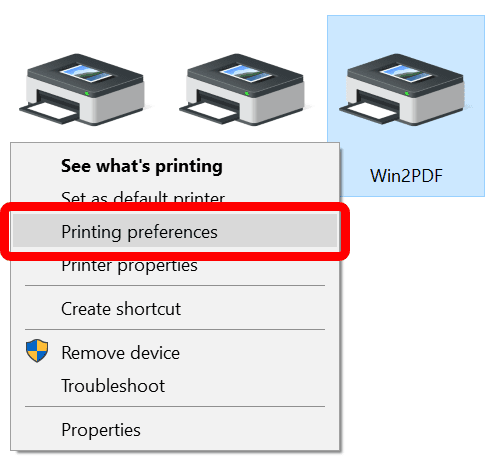
To set the default Win2PDF paper size, open the "Devices and Printers" window, right click on the Win2PDF icon, and choose "Printing Preferences":
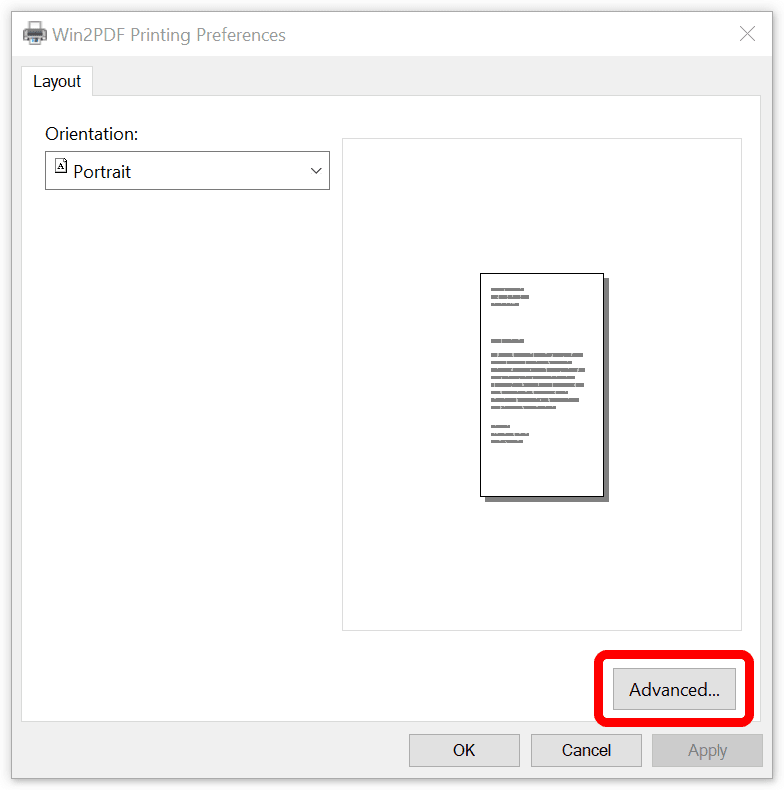
When the "Printing Preferences" window opens, click on the "Advanced" button:
Under "Paper/Output", click on "Paper Size:" to select the default paper size.
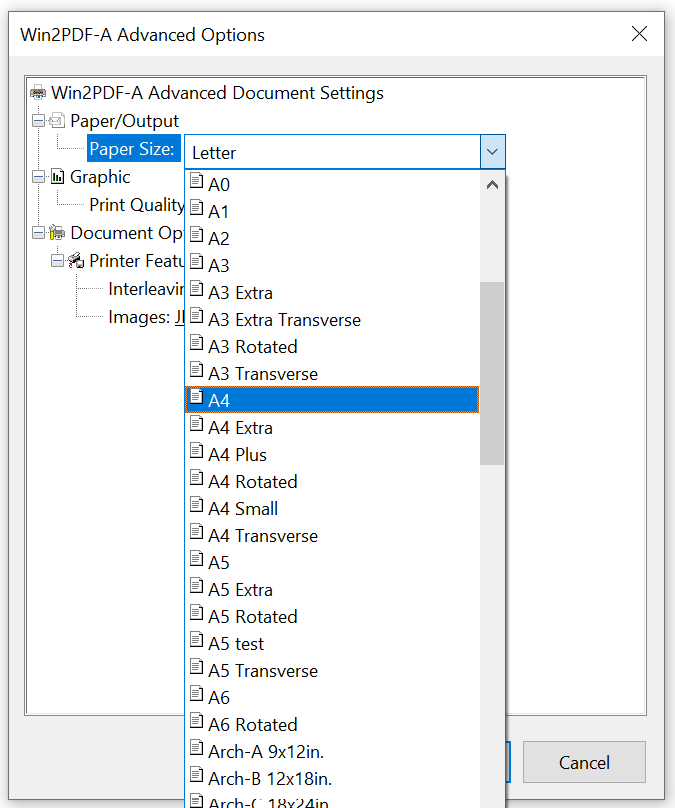
Win2PDF supports the following paper sizes:
•US Letter
•US Legal
•4A0
•2A0
•A0
•A1
•A2
•A3
•A4
•B5
•US Letter Small
•A4 Small
•US Legal Small
•Ebook
•Tabloid 11x17in.
•A-Size 8.5x11in.
•B-Size 11x17in.
•C-Size 17x22in.
•D-Size 22x34in.
•E-Size 34x44in.
•Arch-A 9x12in.
•Arch-B 12x18in.
•Arch-C 18x24in.
•Arch-D 24x36in.
•Arch-E 36x48in.
•30x42/30x42in.
•30x48/30x48in.
•36x60/36x60in.
In addition, Win2PDF supports user defined custom or user defined paper sizes. The steps required to create a custom paper size vary depending on the version of Windows.
How to create a custom paper size in Windows XP or Windows Server 2003
How to create a custom paper size in Windows Vista
How to create a custom paper size in Windows 7 or Windows Server 2008
How to create a custom paper size in Windows 8
How to create a custom paper size in Windows 10
How to create a custom paper size in Windows 11