
If you drag a PDF to the Win2PDF Desktop icon, or select a PDF from the open window when launching the Win2PDF Desktop application, the following options will be displayed under the "File" menu:
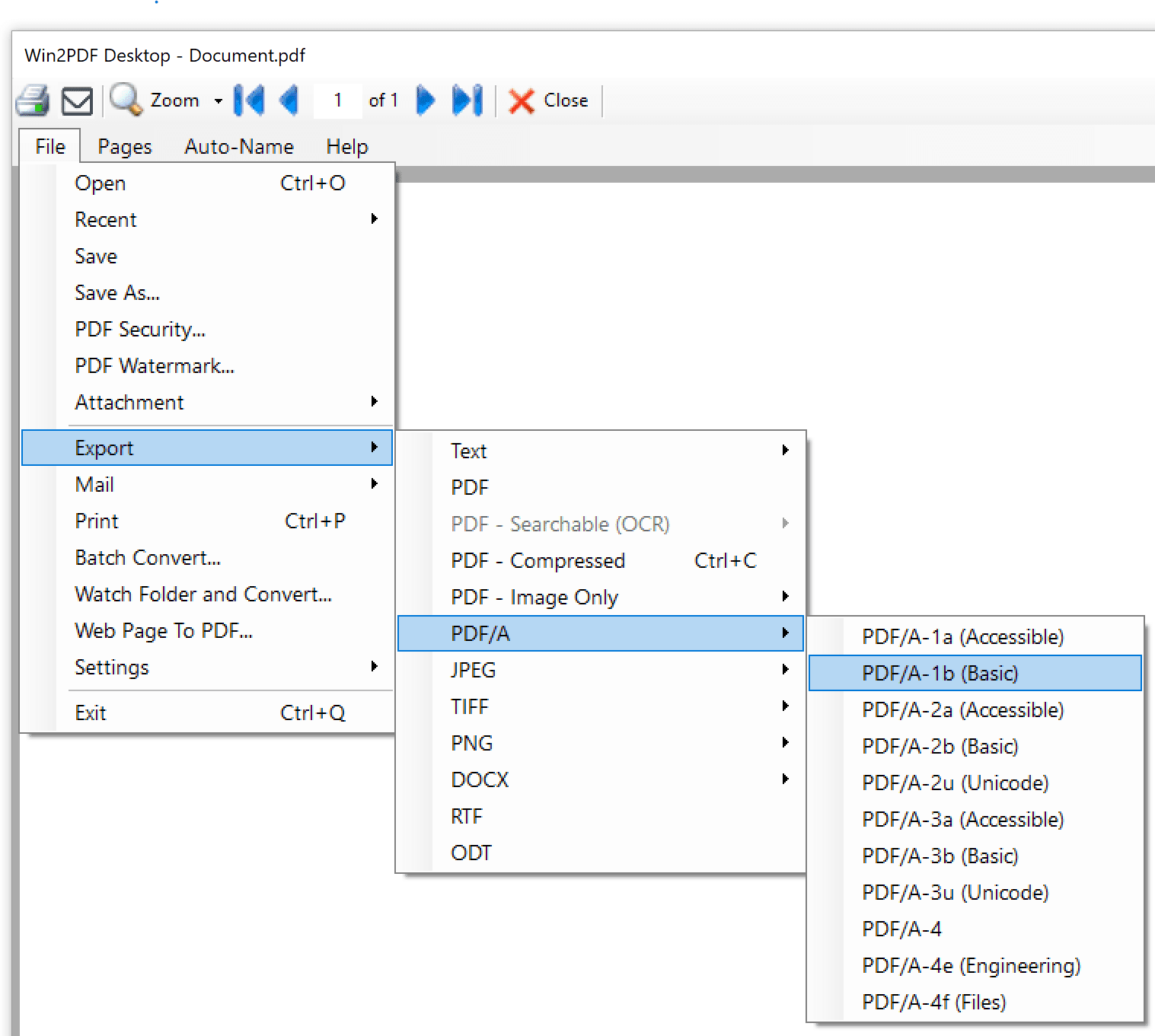
Win2PDF Desktop - Export PDF Image Only Menu
After selecting "Export -> PDF/A" you will be prompted to save as the selected PDF/A format which can be one of:
•PDF/A-1a (Accessible)
•PDF/A-1b (Basic)
•PDF/A-2a (Accessible)
•PDF/A-2b (Basic)
•PDF/A-2u (Unicode)
•PDF/A-3a (Accessible)
•PDF/A-3b (Basic)
•PDF/A-3u (Unicode)
•PDF/A-4
•PDF/A-4e (Engineering)
•PDF/A-4f (Files)
For a description of each format, see the PDF/A Wikipedia article at: https://en.wikipedia.org/wiki/PDF/A
This is also available using the PDF2PDFA command line.
This feature requires a licensed version of Win2PDF. Contact us for a time limited evaluation license.