
Win2PDF Desktop Convert Markdown to PDF 
To convert a XPS to PDF using Win2PDF Desktop, open a markdown file using "File -> Open" or drag-and-dropping a markdown file on the Win2PDF Desktop icon. The Win2PDF Desktop converter will show a preview of the markdown file. To save as a PDF, choose "File -> Export -> PDF".
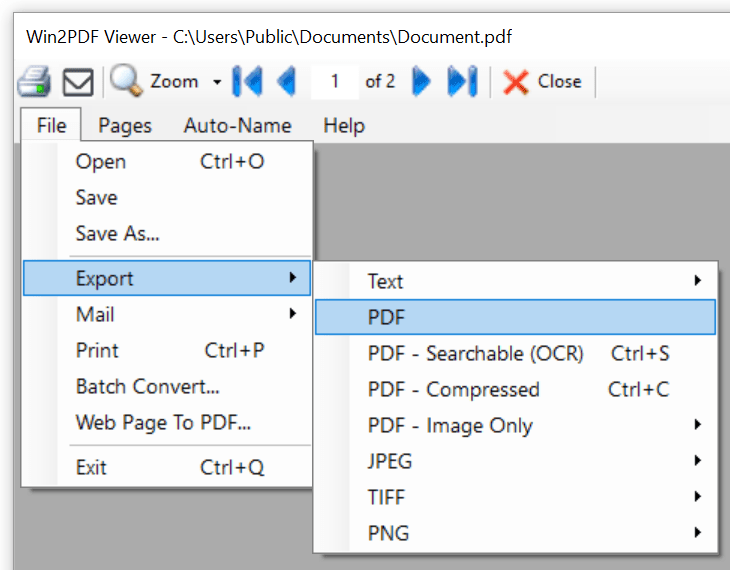
Win2PDF Desktop - Export Markdown to PDF
If you want to convert to PDF in the same folder as the markdown file, you can also right click on a markdown file in Windows Explorer and choose "Win2PDF -> Convert to PDF".

Win2PDF Explorer Convert To PDF Context Menu
This feature requires a licensed version of Win2PDF Pro. Contact us for a time limited evaluation license.
You can also convert from XPS to PDF using the batch convert Markdown to PDF feature or the MARKDOWN2PDF command line.