
Please enable JavaScript to view this site.

Navigation: How To Articles > How to use the Win2PDF Desktop App

How to Export a PDF to a Compressed PDF

Scroll Prev Top Next More

Win2PDF Desktop Export PDF to Compressed PDF


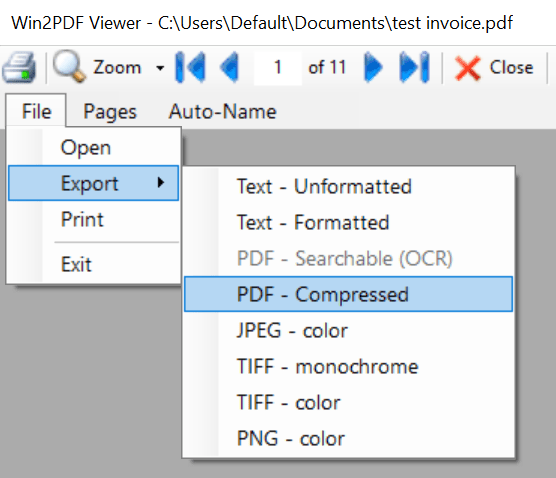
If you drag a PDF to the Win2PDF Desktop icon, or select a PDF from the open window when launching the Win2PDF Desktop application, the following options will be displayed under the "File" menu:

Win2PDF Desktop - Compress PDF

Win2PDF Desktop - Compress PDF


After selecting "Export -> PDF - Compressed", you will be prompted to save the compressed PDF file.


Win2PDF will compress the text and images in the PDF and save the compressed PDF to a new file.


This is also available using the COMPRESS command line.


This feature requires a licensed version of Win2PDF. Contact us for a time limited evaluation license.